

Frequently Asked Questions
Helpful answers to common questions about my in-home tech support
Below are general questions about my services. Click the button below for the FAQs specific to each service.
Scheduling & Appointments
How do I book an appointment?
You can book an appointment directly through the “Book a Visit” page on my website. If you have any questions or prefer to schedule by phone, feel free to email me or call me during my business hours of 9AM to 5PM Monday through Friday.
What areas do you serve?
I provide at-home services in the San Fernando Valley, located in southern California.
Do you come to my home?
Yes! I’ll help you in the comfort and privacy of your home.
What should I do if I need to reschedule or cancel an appointment?
You can reschedule or cancel your appointment using the link in the confirmation email. It will also allow you to make changes if you made a mistake.
What forms of payment do you accept?
I accept cash, credit/debit cards, and mobile payments like Apple Pay. Invoices will be sent to the email address you used to schedule your appointment.
How long do services typically take?
The time varies based on the service and the complexity of your needs. Device setup and training sessions usually take 1-3 hours, while troubleshooting can vary more widely. Estimated times are provided on each service page.
General Service Questions
What devices do you work with?
I can help with phones, computers, TVs, and much more. If you need help with a device that’s older or niche, I can certainly help you. If you’d like to be absolutely sure, feel free to contact me and ask. When you’re ready, book your appointment!
What if I don’t know what’s wrong with my device?
That’s OK! I can take a look and figure it out for you. There’s no charge for this part, either; no surprise bills, so you can have peace of mind when you book a visit.
Will you explain what was wrong? Can you teach me how to prevent it from happening again?
Definitely! I’ll explain everything you need to know in simple terms with no jargon. You can ask questions anytime during a visit, and I’ll make sure you know what steps to take to prevent the same issue in the future.
Do you offer discounts for multiple services?
Not directly, but if we have extra time, I can certainly help you with more than your appointment was originally scheduled for. All of my services also have add-ons available that cost less than the base service.
How do you ensure privacy and security when working with my devices?
Your privacy is my top priority. I follow strict confidentiality protocols and will never access or share your personal information without your permission. Any data transfer or configuration is done with your security in mind.
Will you provide a follow-up after the service?
Yes, I’m committed to ensuring your satisfaction, so I provide follow-up support as needed. You can always reach out if you have questions or need additional help after our session.
What if my issue isn’t resolved?
If I’m unable to resolve your issue during the scheduled session, I’ll work with you to find a solution, either through follow-up visits or phone calls. My goal is to ensure you’re completely satisfied.
Do you offer remote services?
Unfortunately, no. The only exception is when a phone call is sufficient for follow-up support.
Can you help with both Windows and Mac devices?
Yes, I’m experienced with both Windows and Mac operating systems, as well as other platforms like Android and iOS. I can provide support for a wide range of devices.
Is there a warranty or guarantee on your services?
I can’t make any guarantees, but if you experience issues related to a service I’ve provided within two weeks, I’ll be happy to assist you at a reduced price.
Service FAQs
Set Up New Devices FAQ

Can you set up both PC and Mac computers?
Yes! I can help set up either, making sure everything is working properly and easy for you to use.
Can you set up iPhones and Android devices?
Yes! I can set up an iPhone or Android phone, whichever you have. I can also help set up iPads and Android tablets.
Can you set up printers and other accessories?
Certainly! I can set up printers, scanners, and other accessories so they work properly with your other devices. I can also set up virtual assistants, doorbell cameras, and other home devices.
How long does it take to set up a new device?
Most setups take about an hour, but it depends on the kind of device and other devices it needs to connect to and work with.
Can you transfer my photos and information from my old device to my new one?
Absolutely! I can move contacts, photos, apps, and other important information so you don’t lose anything when you’re switching to a new device.
Will you show me how to use my new device?
Of course! I’ll walk you through how it works, answer your questions, and make sure you feel comfortable using it.
What if I’ve already started setting it up?
No problem! I can help at any point and finish the setup, then make sure everything is working the way it should and how you like it.
Can you help me set up more than one device?
Sure, I can help you set up as many devices in one session as time allows. If you have multiple devices you’d like to set up on the same day, you can book a longer appointment so we have enough time.
Fix Tech Problems FAQ
What kinds of tech problems do you fix?
I help with a wide range of issues, including slow computers, Wi-Fi problems, devices that won’t turn on, apps that aren’t working, printer issues, and much more.
Can you help with devices or problems that aren’t listed here?
Of course! If you’re not sure whether I can help, feel free to ask. I work with many types of devices and issues, even if they’re older or niche.
Do you help with peripherals like printers and accessories?
Yes! I can help set up and troubleshoot printers, scanners, external drives, and other devices so they all work properly together.
What if my device can’t be fixed?
If I can’t fix something, I’ll clearly explain why and help you decide what’s best for you to do next.
Do you help with viruses or security issues?
Definitely! I can remove viruses or unwanted software, help secure your devices, and explain how to recognize suspicious messages and common scams so you can avoid them and stay safe.
Will you explain what you’re doing and help prevent future problems?
Absolutely! I take the time to explain everything in simple terms and I’ll show you how to avoid similar issues in the future, so you feel more confident using your technology.
Can this be fixed in one visit, or will it take multiple sessions?
Many issues can be resolved in a single visit. If something takes longer, I’ll let you know upfront and work with you to find the best approach.
Do you help with hardware/physical issues too?
I certainly can! I can help with many hardware-related problems, including devices that won’t turn on, connection issues, and component troubleshooting.
TV and Home Tech Help FAQ
Can you set up my new TV?
Yes, I can set it up for you and make sure everything works properly.
Can you connect my streaming services?
Yes! I can help you set them up so you can start watching right away.
Can you fix issues with my current setup?
Definitely! I can troubleshoot and improve existing setups so it works better and is easier for you to use.
Will you show me how to use everything?
Absolutely! I’ll walk you through it step by step.
Can you help with remotes?
Certainly! I can help make it easier and less confusing for you to use your TV and equipment.
What if I have multiple devices?
No problem! I can help organize and connect multiple devices in one visit.
Learn New Apps FAQ
Can you help me learn a specific app?
Yes! I can help you learn any app you’d like, whether it’s for email, video calls, or something new.
What if I’m not very comfortable with technology?
That’s completely okay! I work at your pace and explain things simply so they’re easy to follow and understand.
Will you slow down and repeat things if needed?
Absolutely! We can go as slowly as you need to, and I’m happy to repeat anything as many times as you need. Both are normal parts of learning; no pressure.
Can you write things down for me?
Sure! I can help you write down simple notes or steps to help you remember what you’ve learned. I also encourage you to write another copy; it will help you retain your new knowledge.
Can you help with both phones and computers?
Certainly! I can help you learn on phones, tablets, computers, or any other device or gadget you’d like to learn to use.
What if I forget later?
That’s entirely normal. I can always help you again in another session, and we can review anything you need. I can also help you write notes to help you remember.
Do I need to install apps or software before our session?
Not necessarily. I can help you install them during our session. If something requires agreeing to terms, I’ll guide you through it and explain what to look for, but you’ll make the final confirmation yourself.
Stay Safe from Scams FAQ
Can you help me avoid scams?
Yes, I can show you how to recognize scams and what to do if you encounter one.
Will you check my device for security issues?
Yes, I’ll review your device settings and help make sure everything is set up safely.
Can you help with passwords?
Yes, I can help you create, organize, and manage passwords in a simple and secure way.
What if I already clicked on something suspicious?
That’s okay. I can help you figure out what to do next and make sure your information and device are safe.
Will this be complicated?
Don’t worry! I keep everything as simple as possible, and I’ll make sure you understand as we go.
Can you help prevent problems in the future?
Yes! I’ll show you simple habits that can help keep you safe moving forward.
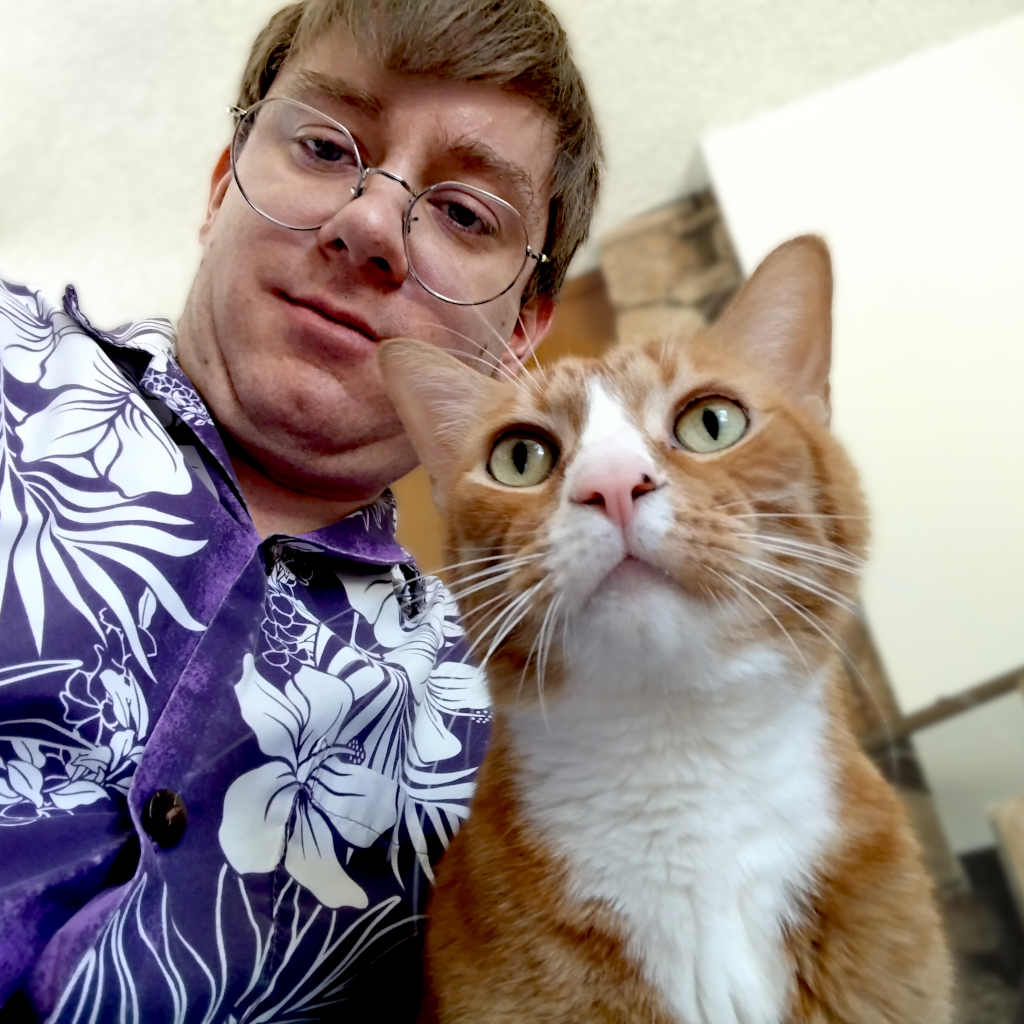
The Battery Eater: Expert tech support for seniors. Set up new devices, set up TVs and home devices, fix tech issues, learn new apps, and learn to stay safe and avoid scams. Your comfort with technology is our mission.
Josh Nitzahn
Technical Support Specialist
Connect with Me
Tarzana, CA 91356
(818) 402-1896
9 am – 5 pm, Monday – Friday
contact@thebatteryeater.com